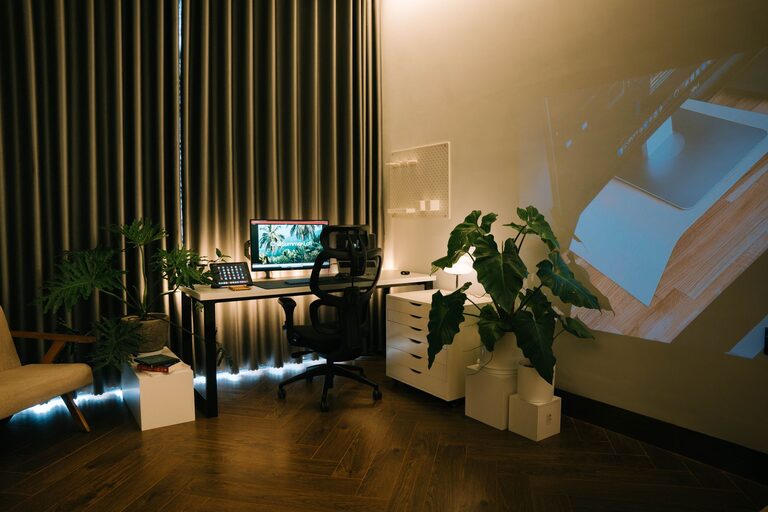

Creating a comfortable and productive home office space is essential for anyone who works remotely or spends a significant amount of time working from home. A well-designed workspace can enhance your focus, reduce stress, and improve overall work quality. Whether you have a dedicated room or just a corner in your living space, these tips will help you set up a home office that supports your best work.
Choose the Right Location
The first step in creating a functional home office is selecting the best location. Ideally, pick a space that is quiet, has good natural light, and is free from distractions.
– Quiet area: If possible, choose a spot away from high-traffic areas in your home.
– Natural light: Position your desk near a window to take advantage of daylight, which can elevate mood and reduce eye strain.
– Ventilation: Good airflow helps maintain energy levels and comfort throughout the day.
Invest in Ergonomic Furniture
Comfort plays a major role in productivity. Spending long hours at an uncomfortable desk or chair can lead to discomfort and health issues.
– Ergonomic chair: Look for a chair with adjustable height, lumbar support, and comfortable cushioning.
– Desk height: Ensure your desk allows your arms to rest comfortably with elbows at a 90-degree angle.
– Monitor placement: Position your computer screen so that the top of the monitor is at or slightly below eye level to prevent neck strain.
Organize Your Space Efficiently
A cluttered workspace can hinder concentration and cause unnecessary stress. Keeping your work area tidy and organized will help you stay focused.
– Use storage solutions: Invest in shelves, filing cabinets, or desk organizers to keep documents and supplies neatly stored.
– Cable management: Tidy up cables with clips or sleeves to prevent tangles and create a clean appearance.
– Minimal decor: Avoid overcrowding your desk with knickknacks. Select a few inspiring items instead.
Optimize Lighting
Proper lighting is crucial to reduce eye fatigue and maintain energy throughout the day.
– Combine natural and artificial light: Use natural daylight as much as possible, supplemented by task lighting such as adjustable desk lamps.
– Avoid glare: Position monitors away from direct sunlight or use blinds to control brightness.
– Use warm light bulbs: Choose bulbs that offer soft, warm lighting to create a comfortable atmosphere.
Minimize Distractions
Staying focused at home can be challenging due to household activities or family members.
– Set boundaries: If others share your living space, communicate your work hours clearly.
– Sound control: Use noise-cancelling headphones or play ambient background sounds to mask distractions.
– Turn off notifications: Limit interruptions by muting phone alerts and silencing non-essential notifications on your computer.
Personalize Your Workspace
Adding personal touches makes your home office inviting and motivating.
– Plants: Indoor greenery can improve air quality and reduce stress.
– Artwork: Choose pieces that inspire you or make you feel calm.
– Comfort items: A cozy throw blanket or cushions can add warmth and comfort.
Incorporate Break Areas
Taking regular breaks is important for mental and physical health.
– Separate space: If possible, create a small area for stretching, relaxation, or quick movement breaks.
– Standing options: Consider a sit-stand desk or a high counter to change positions throughout the day.
– Hydration and snacks: Keep water and healthy snacks nearby to stay energized.
Maintain a Routine
A consistent daily routine helps you transition into and out of work mode.
– Set regular hours: Decide when to start and end your workday.
– Morning ritual: Begin with habits that prepare you mentally, such as a short walk, coffee, or planning your day.
– End-of-day shutdown: Organize tasks and clear your workspace to signal the end of work time.
Utilize Technology Wisely
Make sure your tech setup supports efficiency and comfort.
– Reliable internet: A fast, stable internet connection is critical for remote work.
– Peripherals: Consider ergonomic keyboards, wireless mice, or multiple monitors for productivity.
– Software tools: Use productivity apps and communication platforms that fit your workflow.
—
Creating a comfortable and productive home office doesn’t require a large budget or much space. By thoughtfully selecting your location, investing in ergonomic furniture, organizing effectively, and managing distractions, you can craft a workspace that supports your best work. Remember, a well-designed home office not only improves productivity but also makes your workday more enjoyable.